Managing Deletion Schedules for Standalone Machines
Why is the deletion schedule important?
If you're using a standalone machine to revisit a lab from a past course, or you're a trainer setting up a course, there's no need for concern regarding deletion.
However, to optimize resource utilization, any standalone machine inactive for more than a month will be flagged for automatic deletion, with a reminder sent 7 days prior.
You also have the option to cancel the scheduled deletion.
How to schedule the deletion of a standalone machine on your own.
- When setting up a standalone desktop, you can specify a deletion date.
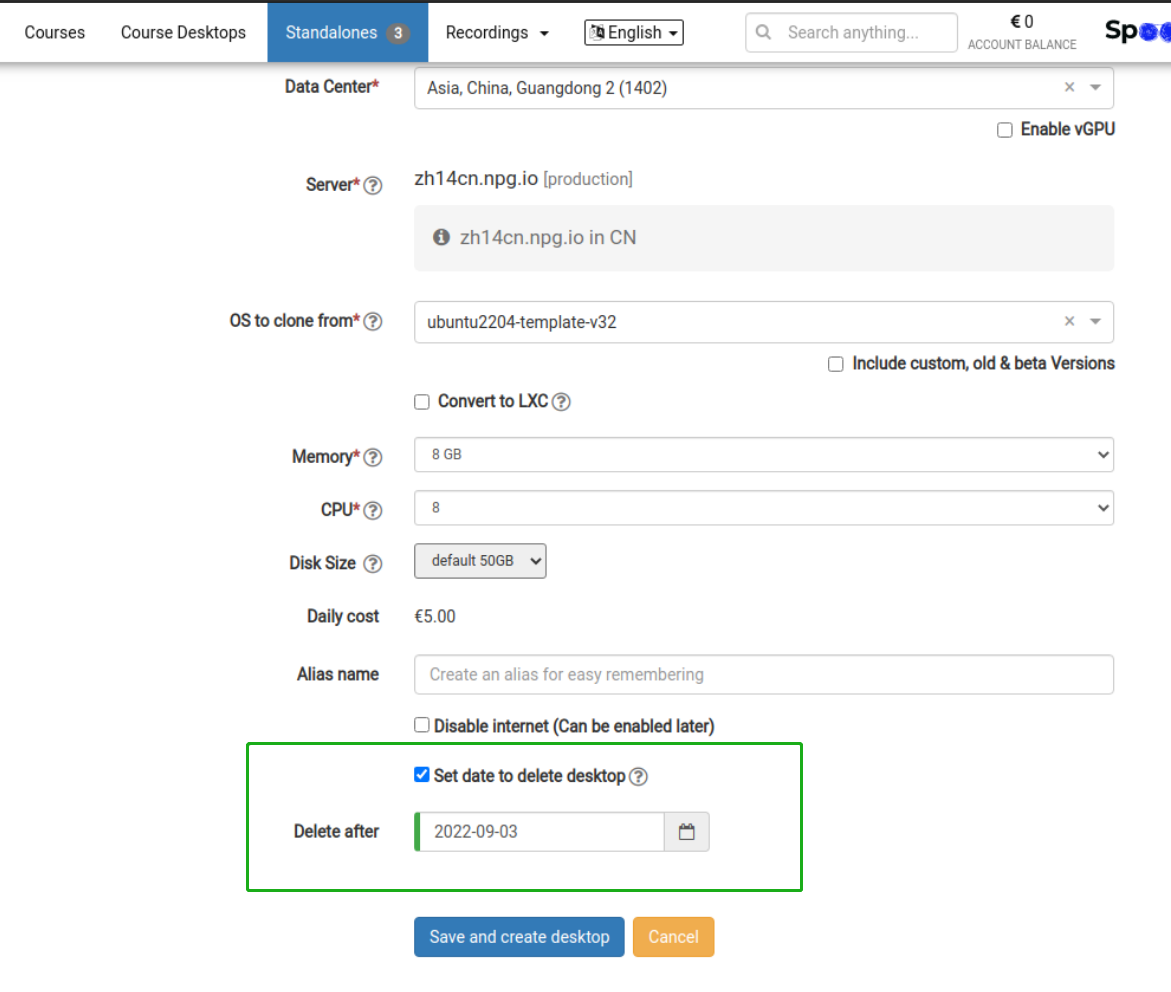
-
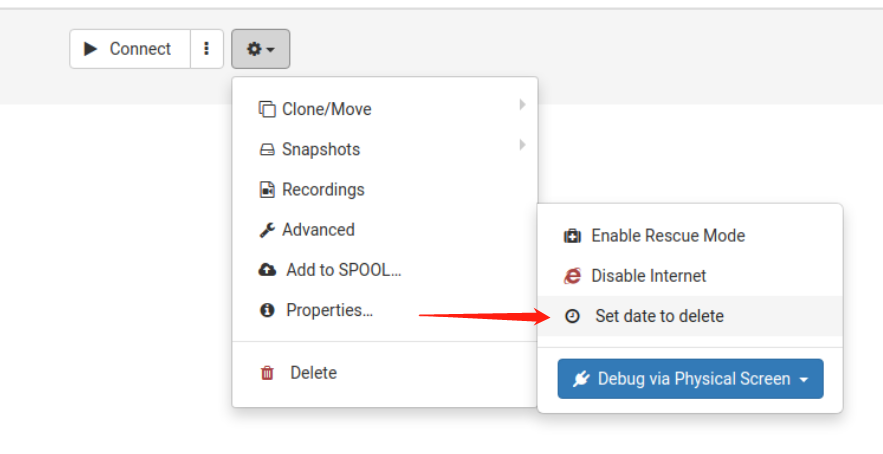
Set a deletion date for the standalone via the Options menu
Clearing a scheduled deletion date
1. In the Options menu, select “Scheduled to delete on”
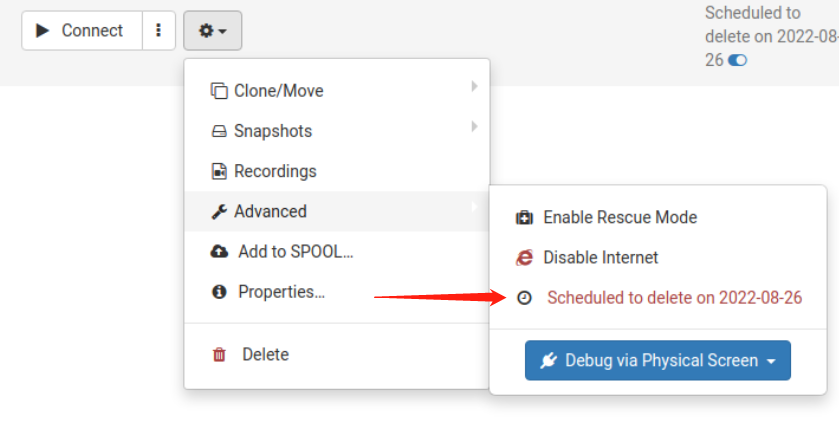
2. Hover over and click the blue toggle icon to instantly remove the deletion date.
