Remote Replica
The Remote Replica feature enables you to duplicate your Fresh Start Desktop onto a separate server, typically at a different site. Once configured, all modifications to your machine are seamlessly and automatically transferred to the replica in the background without any further user intervention.
This capability is extremely versatile, offering multiple applications, including the two scenarios detailed below.
Please note: At present, Remote Replica is exclusively available for Fresh Start machines, though it is also compatible with DaDesktop for work (DD4W).
First: Create a Remote Replica (clone) of your Desktop on a server housed in a different data centre
As a safety net, you might consider setting up a Remote Replica of your Desktop on a server located in a separate data centre, so that if the primary server becomes inaccessible for any reason, you can switch to the replica and carry on exactly where you left off.
By default, your Fresh Start machine is hosted in the UK data centre, for instance bd3uk.
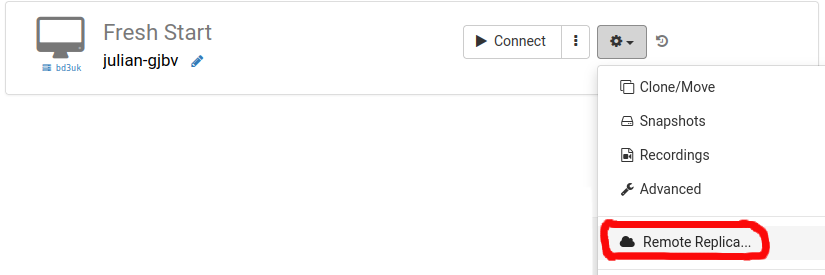
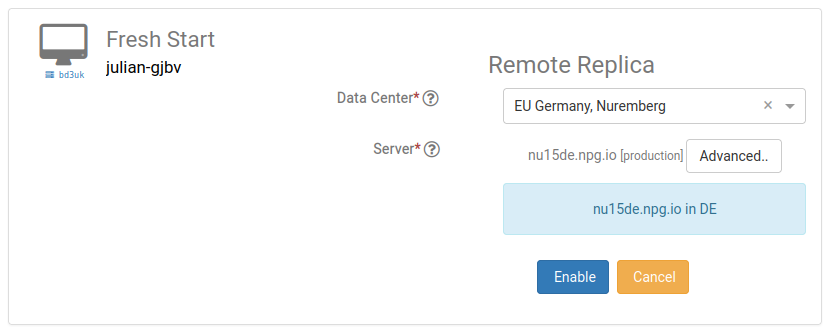
Select the data centre you'd like to use for the Remote Replica, ideally one distinct from your current machine. You might opt for a different data centre, or even one located in Portugal.
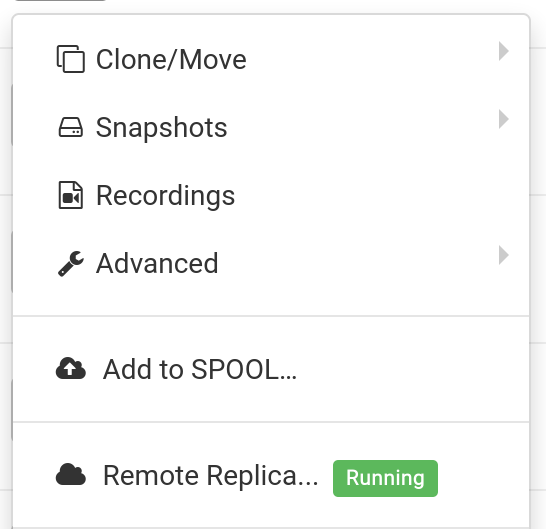
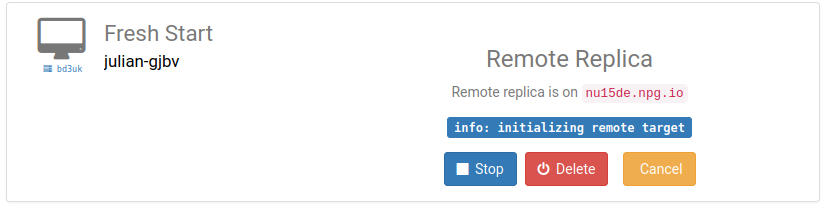
The Remote Replica desktop is now being provisioned. The creation time depends on the distance to the replica server and the size of your Desktop. You can carry on working on your original machine during this process if needed.
Restoring a Remote Replica
Should you ever be unable to reach your FreshStart Desktop for any reason, you can opt to restore the Remote Replica that has been configured.
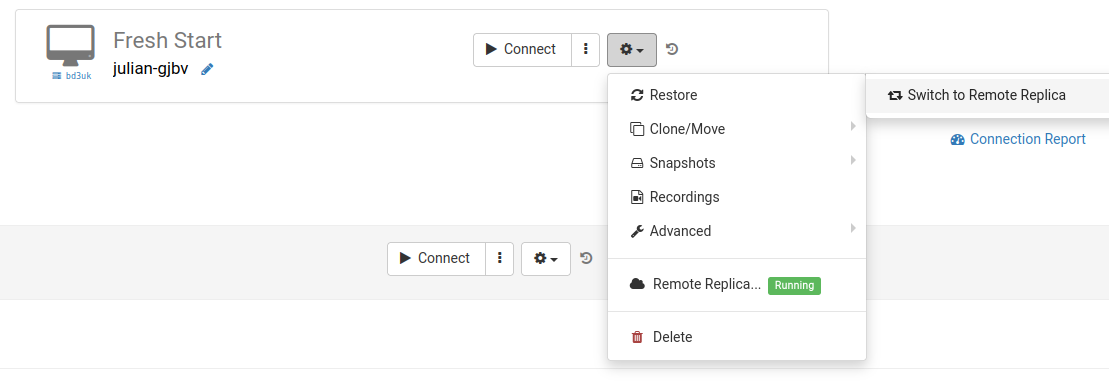
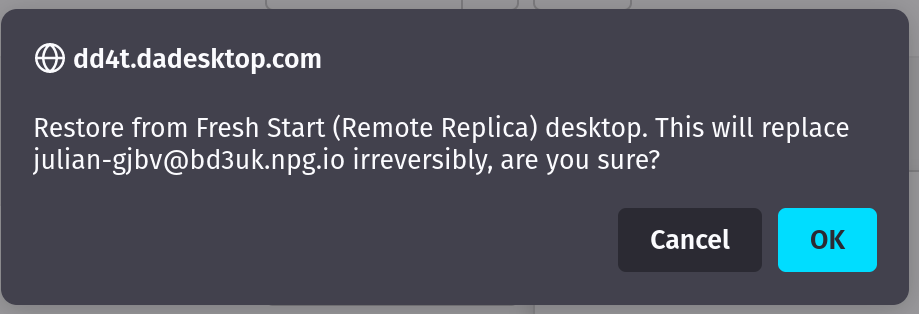
After you switch to the Remote Replica, there is no going back to the original Desktop. That's fine, though, as it will be a perfect copy.
Keep in mind that once you've switched to your Remote Replica Desktop, the replication process stops. To create another replica, you'll need to repeat the initial setup steps described above to configure a new Replica Desktop.

Second scenario: Using a Replica for FreshStart in a different geographical region to lower connection latency
Remote Replica proves invaluable when you need a copy of your Fresh Start machine closer to your physical location while you're building course content on it. For instance, a trainer based in Germany might be delivering a course in South Africa. This scenario is common with DaDesktop, as the platform is designed to accommodate such arrangements seamlessly.
In this situation, you wouldn't want the course Fresh Start Desktop hosted on a South African server, as the connection delay would be considerable. So, you set up a Remote Replica of your Desktop in Europe to keep latency low. The replica will stay in sync with your modifications.
Once you've finished working on the Fresh Start Desktop, you can restore the Remote Replica to the trainer machine located in South Africa for swift duplication to both the trainer and participant machines.