Over-committing of Co-efficients
This capability is exclusive to: DaDesktop Private Server (DDPS) and DaDesktop On-Premise (DDOP).
As courses become more complex and require higher processing power—particularly with nested virtualization or increased performance demands for a larger number of trainee desktops—you might sometimes see an error like this:

This warning appears when CPU, memory, or disk space is lacking. Your initial response should be to try relocating your machine(s) to a less busy server or data-centre in Portugal, or to reduce resource requirements if possible.
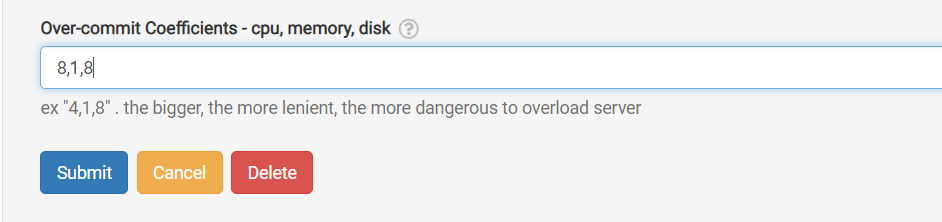
Should neither option be viable, a straightforward short-term fix when the running units just exceed the normal maximum is to temporarily 'over-commit' one or more of the CPU, memory, or disk coefficients. This can be done through the GUI as shown below.
Navigate to /da/admin/servers/all, click the Edit button for your server, and scroll to the section below.
The server list also indicates which servers have over-committed coefficients active. This helps when you need to remove them after a course ends, resetting the coefficients to their default values.
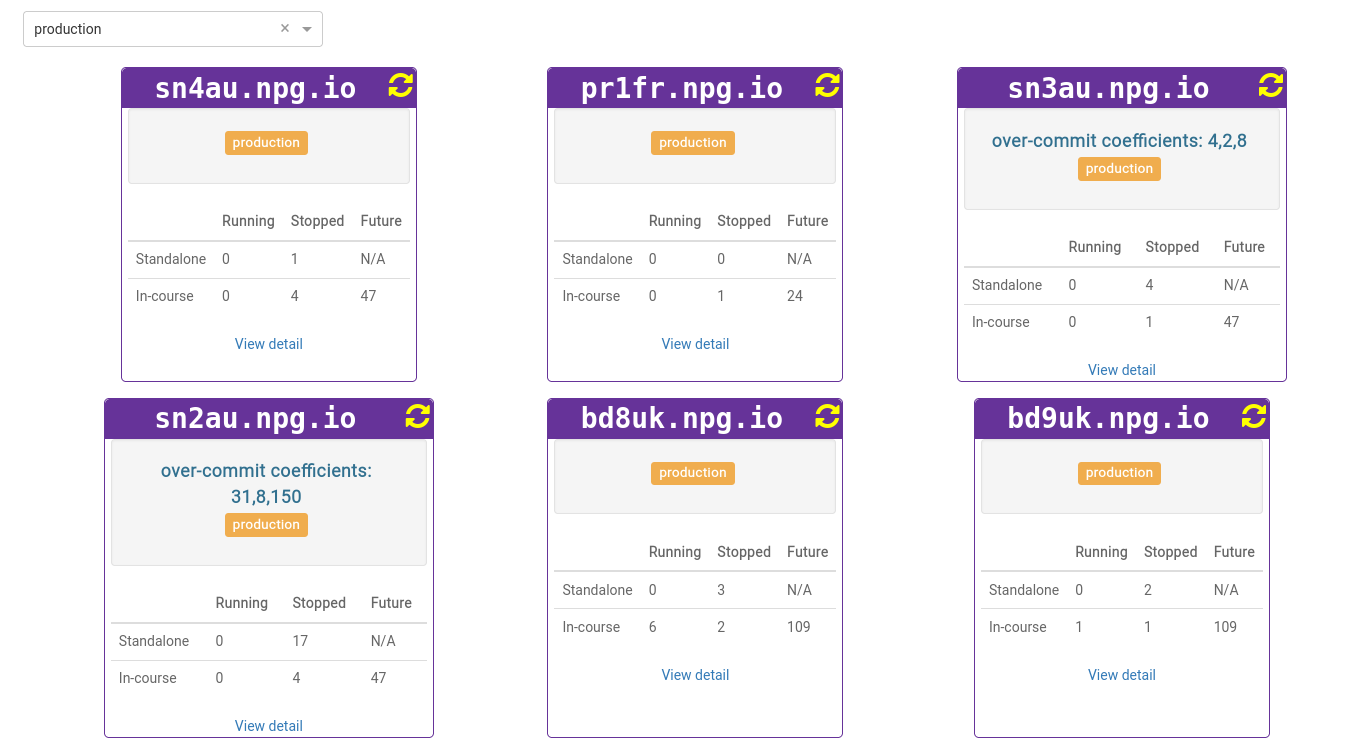
All modifications should be considered a temporary measure rather than a permanent fix for resource inadequacy. Any alterations enabling a course to run must be undone after the course concludes.
DaDesktop On-premise Requirements
Over-committing is enabled by the tpapi, a component of the DaDesktop codebase. Tpapi presently works only with Python 3.12, thus the operating system must be at least Ubuntu 23.10.