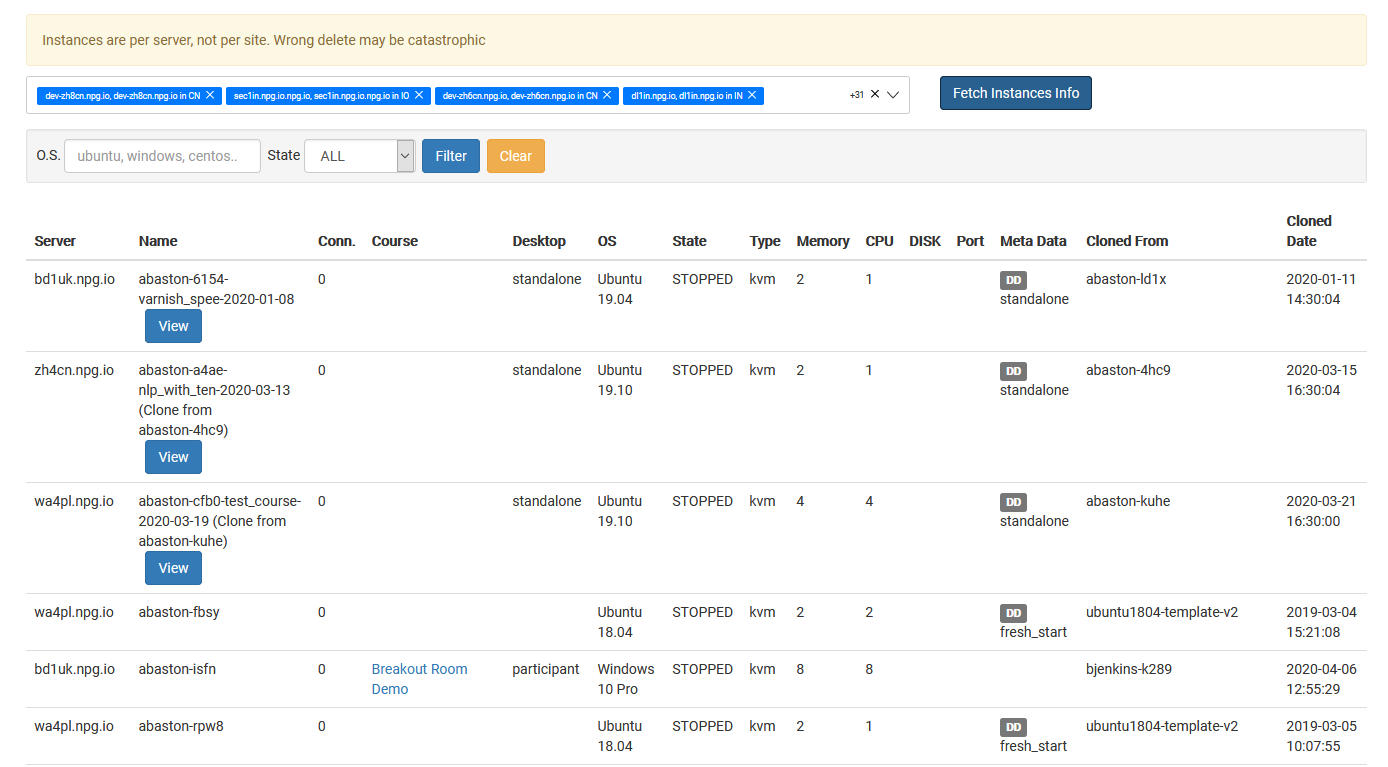
Overseeing All Desktop Instances
The Managing All Desktop Instances page provides Super Administrators with a unified location for viewing and managing all desktop instances across the platform. This global view covers desktops irrespective of their associated organization, course, or server, streamlining the monitoring of system usage and the execution of administrative duties.
What You Can Do
- Look at all desktop instances from a single page.
- Search and filter desktops to swiftly locate particular machines.
- Inspect the current status and specifics of desktop instances.
- Carry out management operations on chosen desktop instances as needed.
- Monitor desktops across Portugal organizations, servers, and data centres from a central location.
Who Can Access This Feature
The Managing All Desktop Instances capability is offered as a Super Administrator feature. It targets administrators tasked with overseeing and handling desktop instances spanning the whole DaDesktop platform, rather than being limited to a single organization or course.