Management of Operating System Templates
Naming Conventions for OS Templates
All template names must consist exclusively of lowercase letters and dashes.
This ensures the application can correctly classify and sort them.
<os>
The <os> portion must not contain any dashes.
<key><number>
Examples:
centos8
debian12
win10
ubuntu2404
ubuntu2204
<template>
<os>-template-v<number>
Examples:
debian12-template-v21
ubuntu2204-template-v17
kali-template-v2
<dd4w>
dd4w-tpl-lxc-<os>-v<number>
dd4w-tpl-kvm-<os>-v<number>
All names must start with 'dd4w-'.
Examples:
dd4w-tpl-kvm-win10-v5
dd4w-tpl-lxc-ubuntu2204-v2
Template Distribution
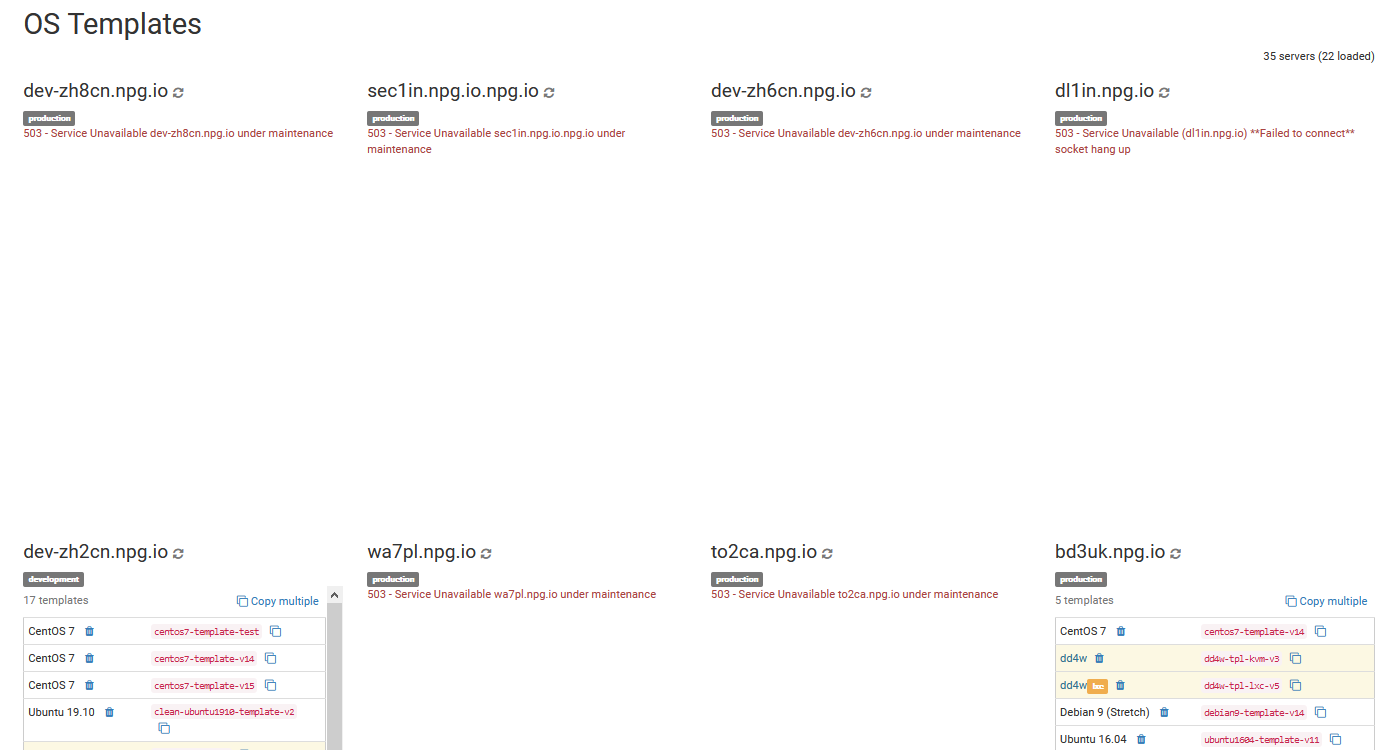
In this section, you can copy, delete, or compare every OS template located within your cloud environment in Portugal.
Keep in mind that transferring many templates may impact your server’s network and experience. Ideally, perform copy actions outside of normal working hours.
Batch Deletion of OS Templates
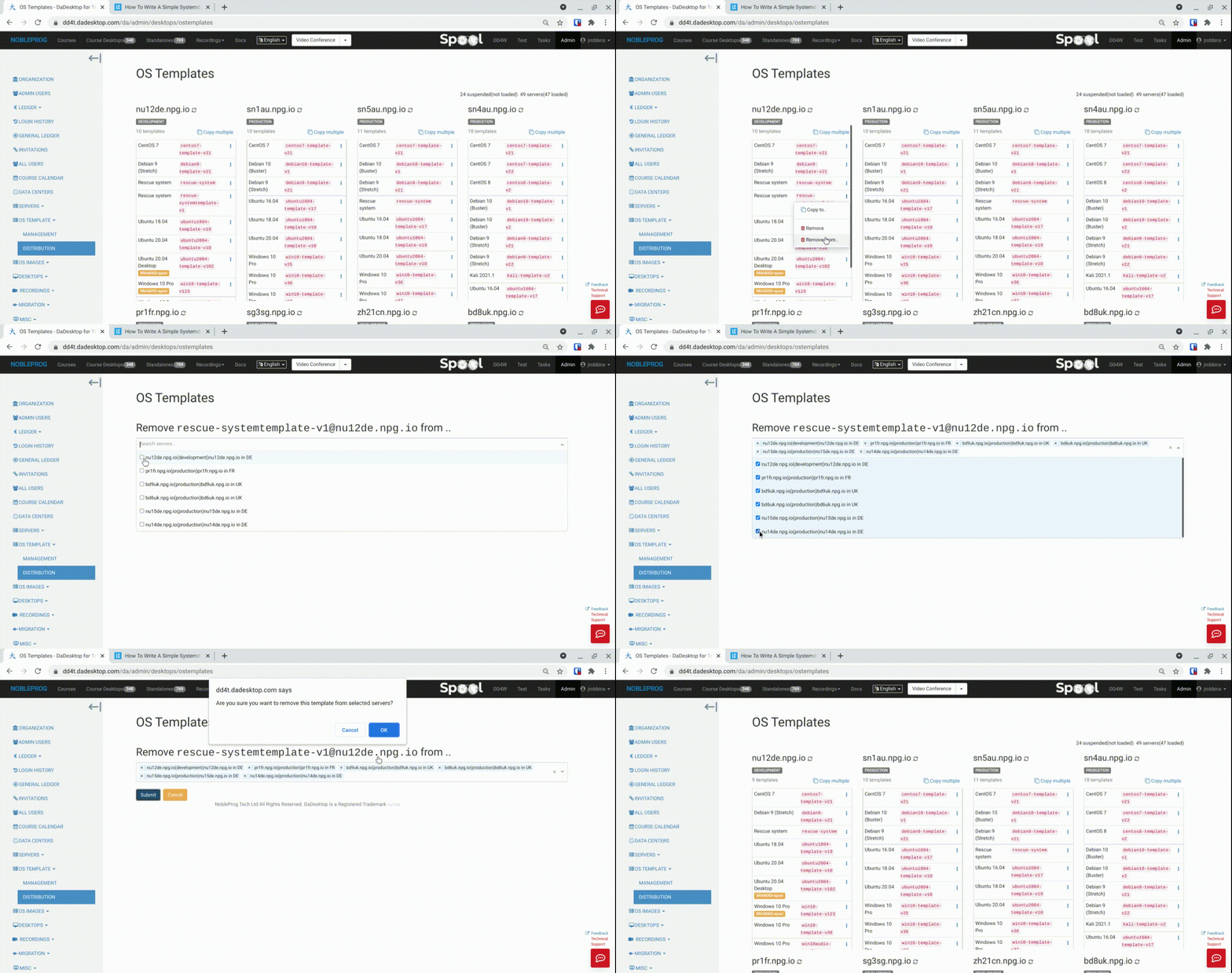
A newly introduced feature allows the batch removal of templates from several servers at once. What used to be a tedious and time-consuming task is now remarkably fast and simple.
- Simply select a server that holds the template you need, and choose 'Remove from .. ' ('Remove' option is for removing a single template at a time)
- A list containing only the servers that possess this particular template is displayed.
- Tick the servers from which you wish to delete the template.
-
Press 'Submit' and confirm; the templates will be deleted.